
Estimate Item
An Estimate Item describes material and/or labor to be done while providing information on what it costs to the end customer.
Details
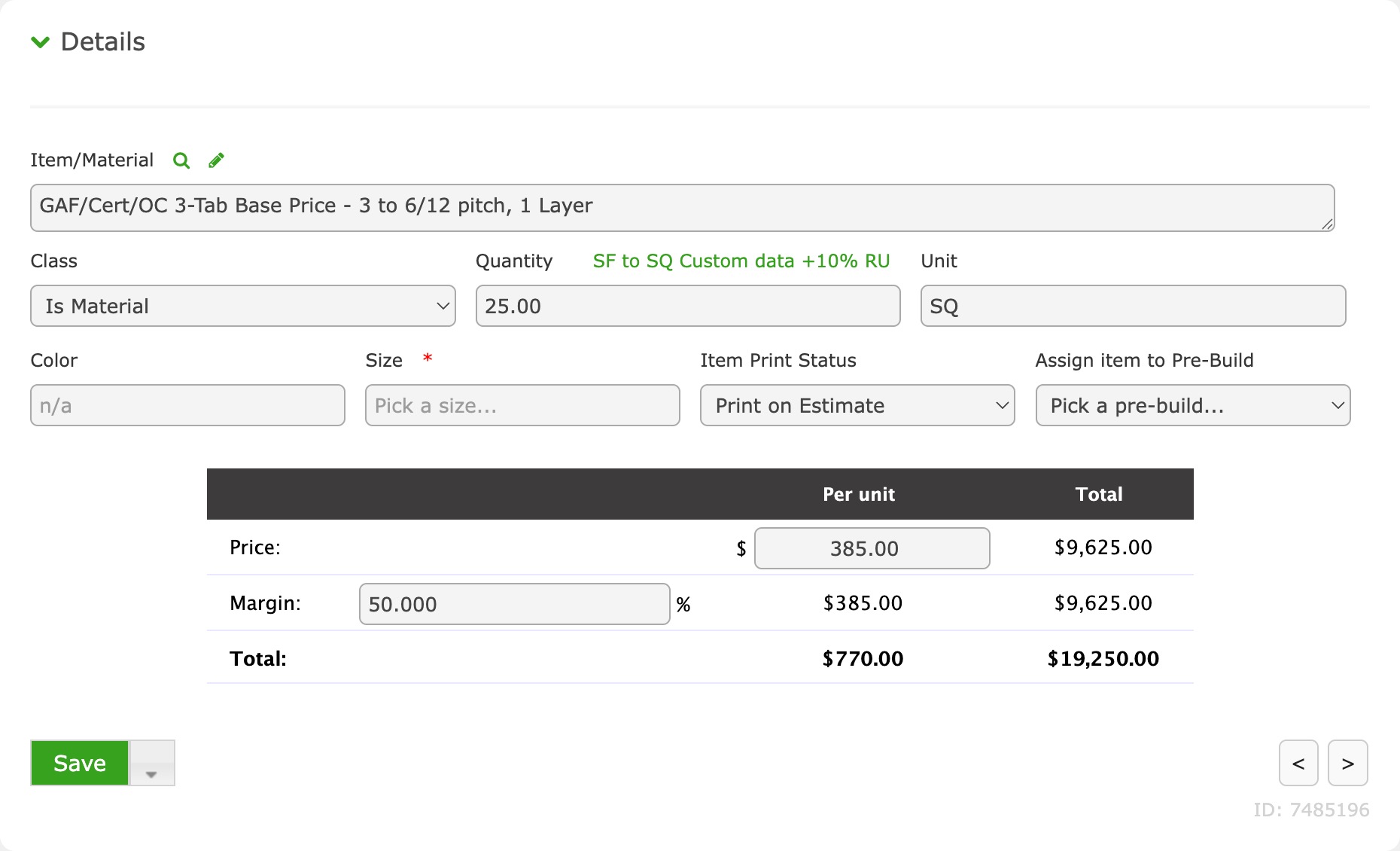
Item/Material (required)
This is either a database Material or a custom typed item. Any database Material is pre-filtered to the Type associated with the Estimate.
Classification (required)
This classifies the item as a Labor item or Material item.
Quantity (optional)
The amount of the Item required.
If applicable, the current Material Conversion will be listed in green within the label, which signifies how an automated quantity from a custom field or parent quantity will be converted.
Unit (optional)
The unit in which best describes the Item/Material (i.e. EA, SQ, LF, RL, etc.)
Color (optional)
The color option that best describes the appropriate application of the Item/Material. If this is a database Material, then color options are designed within the Material. If this is a custom item, a color can simply be entered.
Size (optional)
The size option that best describes the appropriate application of the Item/Material. If this is a database Material, then size options are designed within the Material. If this is a custom item, a size can simply be entered.
Item Print Status (optional)
This defines how the item will be printed on the Estimate print-out.
- Print on Estimate - This Estimate Item, and printable comments, will be printed as a line item within the Estimate print-out.
- Hide on Estimate and Hide on Total - This prevents the Estimate Item to be printed on the Estimate print-out and also prevents the price from being included in the grand total.
- Hide on Estimate but Show on Total - This prevents the Estimate Item to be printed on the Estimate print-out but its price will be included in the grand total.
Order Pre-Build Default (optional)
An Order Pre-Build is a bridge between your Estimate and automatically generated Work and Material Orders and are primarily used in Assembly Mode. When set, this Estimate Item, or its components, will be included within the order associated with the Pre-Build.
Pricing Table
This is where all dollar amounts related to the Estimate Item are managed.
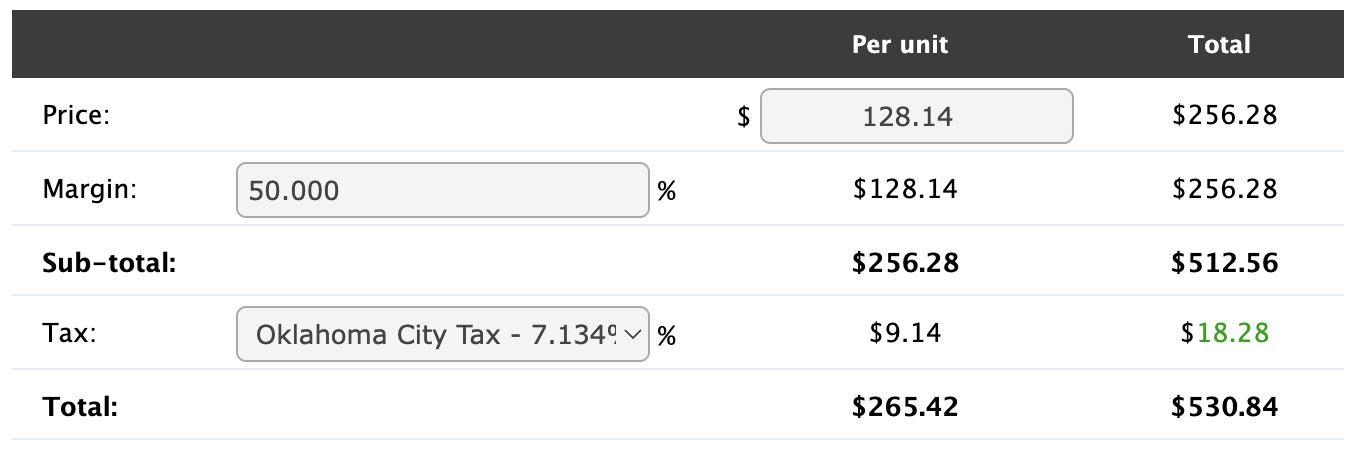
Price
The price of the Estimate Item. This is typically reserved for material related items.
Labor
The price of labor for the Estimate Item. This is only available if the Estimate is in Material with Labor Mode.
Margin
If Profit Margin functions are enabled within the Estimate, this is the profit margin for this Estimate Item. Enter a percentage as a decimal or whole number.
Sub-Total
The sum of Price + Labor (if applicable) + Margin (if applicable).
Tax
This is the tax rate set for the Estimate Item. Tax Rate Codes are set up in Company Settings, Events (permission required).
Total
The total sales price for the Estimate Item (sub-total + tax).
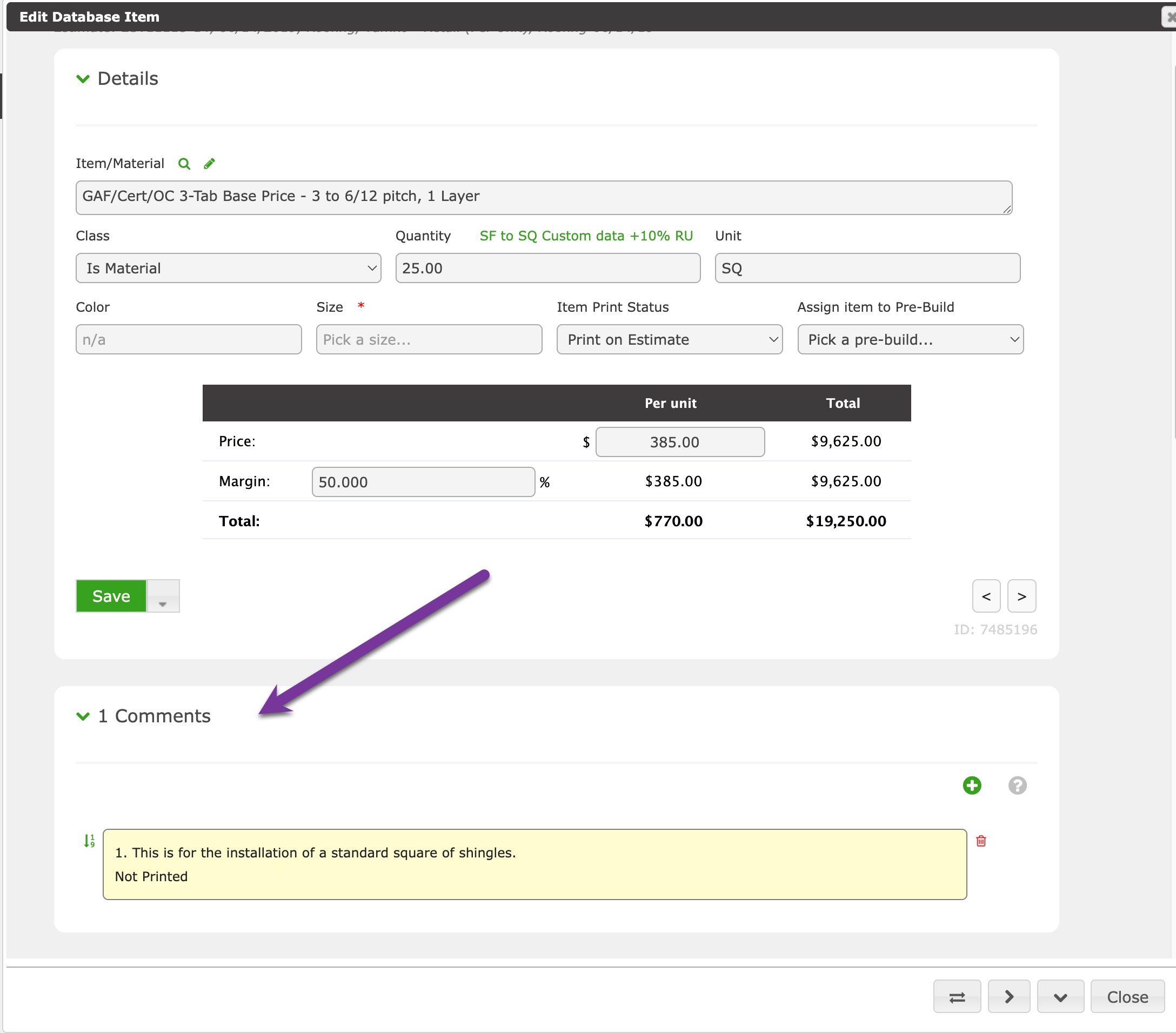
Comments
These are comments pertaining to the Estimate Item.
Components
Estimate Item Components are the real materials and labor that make up the Estimate Item. These Components allow a User to estimate costs using real materials and are the items used to create automatic Work and Material Orders through the use of Order Pre-Builds.
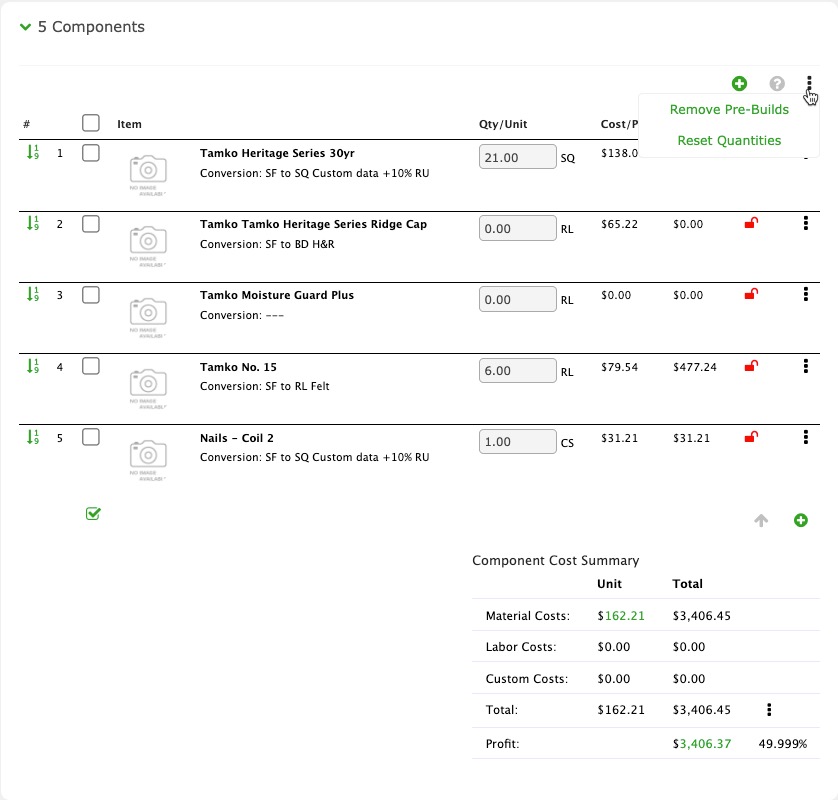
Menu Items
Remove Pre-Builds - This removes any Order Pre-Build reference from all unlocked Estimate Item Components.
Reset Quantities - This resets the quantity for each unlocked Estimate Item Component using whatever Material Conversion the component possesses.
Adding Components
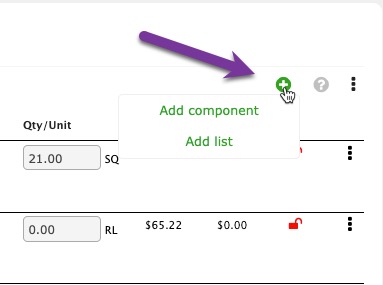
Click the green circle plus sign to add Estimate Item Components.
Editing Components
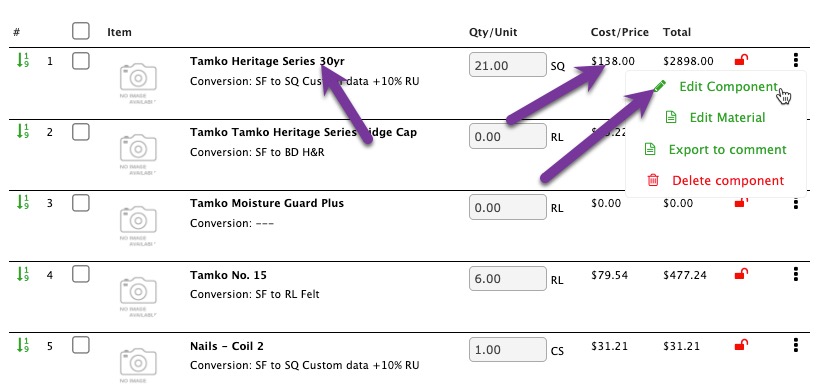
To edit a Component, click Edit Component within the menu or any of the non-input columns within the component list.
Item Menu Items
Edit Component - Opens the Estimate Item Component interface.
Edit Material - Opens the database Material, if applicable (permission required).
Export to comment - This takes the component information and adds it as an Estimate Item Comment.
Delete Component - This completely deletes the Estimate Item Component from the Estimate Item. Note: Multiple components can be deleted at the same time by using the checkboxes.
Component Cost Summary
This profits a summarized list of component costs and estimates profitability by using the Estimate Item total as a sales price for the item.
Utilities
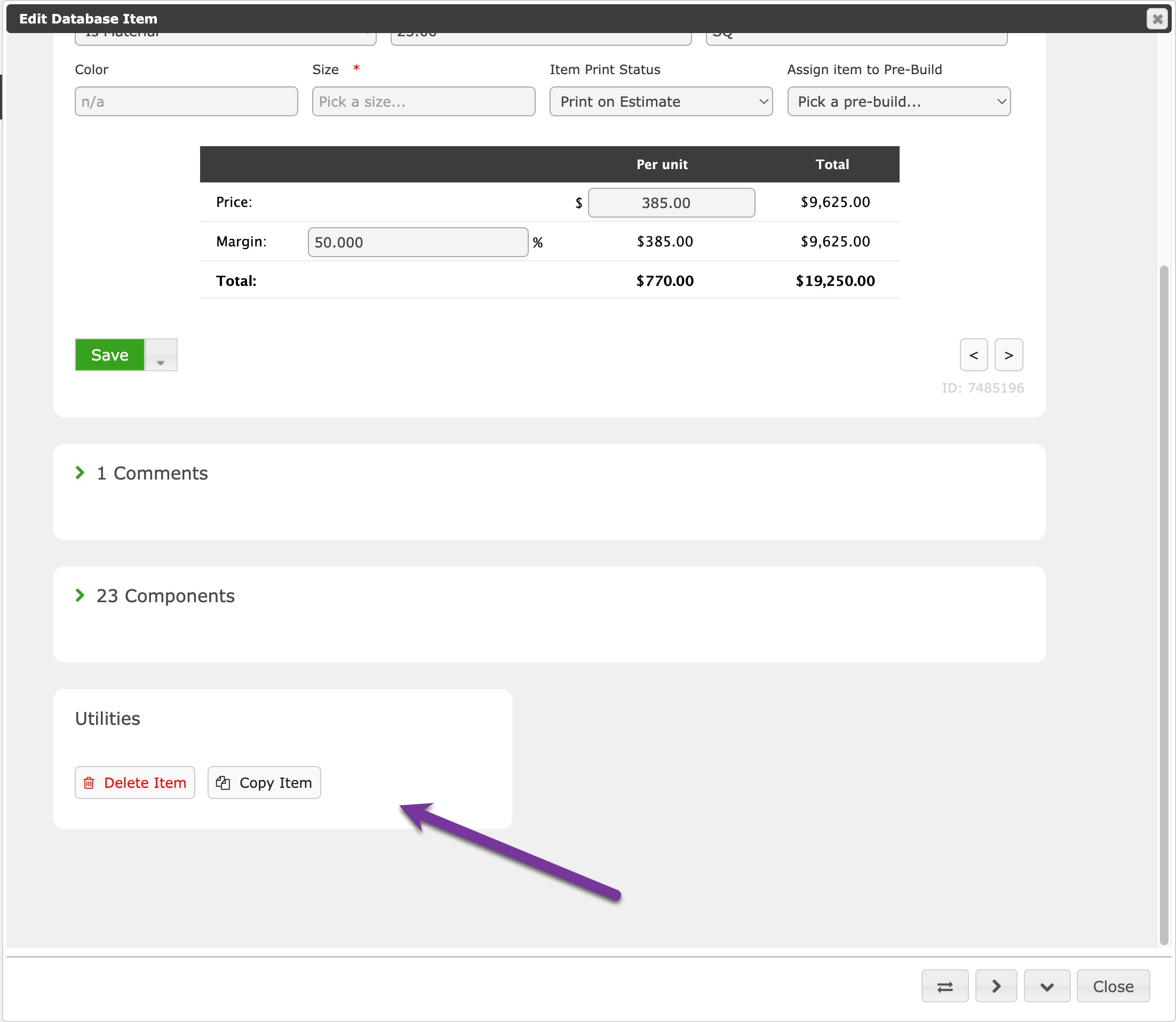
Copy Estimate - Creates a duplicate version of the Estimate and all of its Estimate Items.
Delete Estimate - Deletes the entire estimate, items, components, and comments.